About Dot Matrix Elevator Display
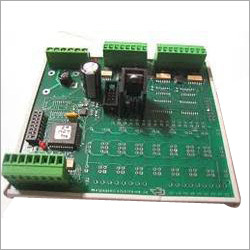
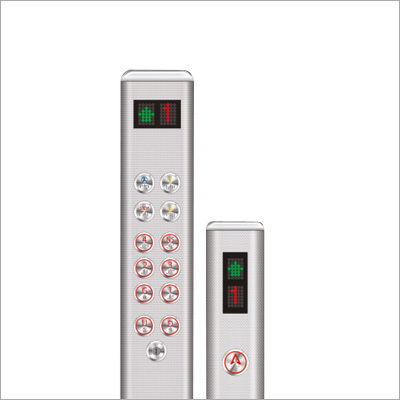
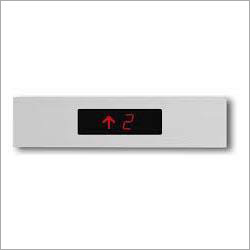
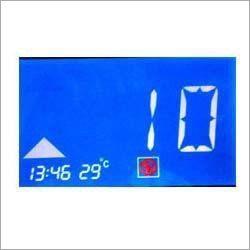
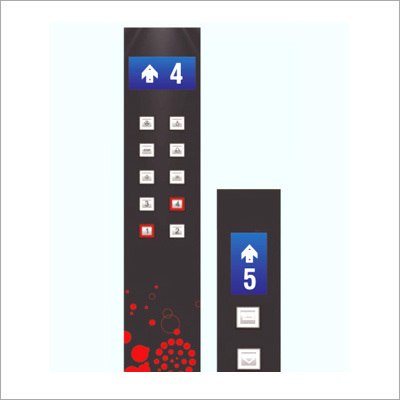
Dot Matrix Elevator Display is used for displaying floor position, running direction of elevator etc. Its voltage requirement ranges between 12 V to 36 V. Driven by DC power, offered display system can endure maximum 80 degree C storage environment and up to 70 degree C working environment. Its approximate dimension is 72 x 144 x 8.5 mm. Designed by seasoned technocrats, this Dot Matrix Elevator Display is appreciated for its ergonomic look and long working life. Its quality has been verified on the basis of its dimension, design precision, service life and output.
Exceptional Visibility and VersatilityOffering high-contrast red, green, or amber displays, this elevator indicator is clearly readable from up to 30 meters, making it suitable for high-traffic and large elevator lobbies. Its adjustable character size and multiple color choices ensure visibility and clarity in all lighting conditions while accommodating varying floor and building requirements.
Robust, Customizable PerformanceThe display supports both real-time floor position updates and personalized messages, thanks to its microcontroller-based design and flexible input interfaces. Custom graphics are easily programmable, and you can configure display information for multiple lines or floors, ensuring it meets the unique demands of any building setup.
Built for Reliability and SafetyHoused in a rugged metal and acrylic enclosure with IP54 protection, the display withstands dust, moisture, and moderate impacts. Its solid-state electronics operate quietly and efficiently, while built-in safety features like fuse and surge protection deliver dependable operation in a range of temperature and humidity conditions.
FAQs of Dot Matrix Elevator Display:
Q: How is the Dot Matrix Elevator Display installed in elevator systems?
A: The display is designed for flexible installation, supporting both wall and flush mounting options. It can be securely attached to elevator cabins or floor landings using standard hardware. The metal frame with toughened acrylic front provides durability and ease of maintenance during installation.
Q: What types of input interfaces are available for programming the display?
A: The unit comes equipped with RS232 and RS485 communication interfaces for data input. An Ethernet interface is also available as an optional feature, enabling remote connectivity and easier integration with modern building management systems.
Q: When should brightness control be set to automatic or manual?
A: Automatic brightness control is ideal in environments with variable lighting, as the display adjusts itself for clear visibility without intervention. Manual mode is useful in conditions where specific brightness levels are preferred or required by building regulations.
Q: Where can the Dot Matrix Elevator Display be used effectively?
A: This display is suitable for use in elevator systems across commercial, residential, or industrial buildings. Its high visibility and IP54-rated protection allow for reliable performance in both indoor environments and areas exposed to dust and light moisture.
Q: What is the benefit of customizable graphics and messages on this display?
A: Customizable graphics and messages enable operators to display tailored information such as floor numbers, service notifications, or emergency instructions. This flexibility enhances passenger communication and can contribute to both safety and improved building management.
Q: How is the display powered and what is its typical power consumption?
A: The display operates on either 110V or 220V AC at 50/60Hz, providing compatibility with standard electrical supplies. Its typical power consumption is less than 20W, making it energy efficient for continuous use.
Q: What ensures the safety and reliability of this elevator display?
A: The product incorporates several safety features such as fuse protection and surge protection, safeguarding the display against electrical faults. Its IP54 rating and robust enclosure further ensure reliable operation in demanding conditions.
 Ahmedabad Gujarat, India


 Send Inquiry



 Send Inquiry

 Send Inquiry


 Send Inquiry
 Send SMS
 English
 Spanish
 French
 German
 Italian
 Chinese (Simplified)
 Japanese
 Korean
 Arabic
 Portuguese